Updating Cigar Strength
Every cigar in TORO can carry a strength: Mild, Mild-Medium, Medium, Medium-Full or Full. It matters more than it looks. The Cigar Finder filters on it, and the Analytic Selling Assistant uses it to sort your cigars into its Mild, Medium and Full rows. A cigar with no strength set can land in the wrong row there, which can put a mild smoke in front of the wrong customer.
You can set one cigar's strength in its Item Details. When a lot of cigars are missing one, use Update Cigar Strength to do them in batches.
Finding It
Open the Dashboard
Click the Items tab on the left, then click the Update Cigar Strength card. (Can't find it? Type "strength" in the search box at the top right.)
When some of your active cigars have no strength, the card shows a red badge, for example 39 TO DO, and says how many cigars are missing a strength.
You can also get here from the Analytic Selling Assistant: click Update Cigar Strengths at the bottom of that window. It turns red when cigars are missing a strength. (That button is for admin logins.)
Setting Strengths
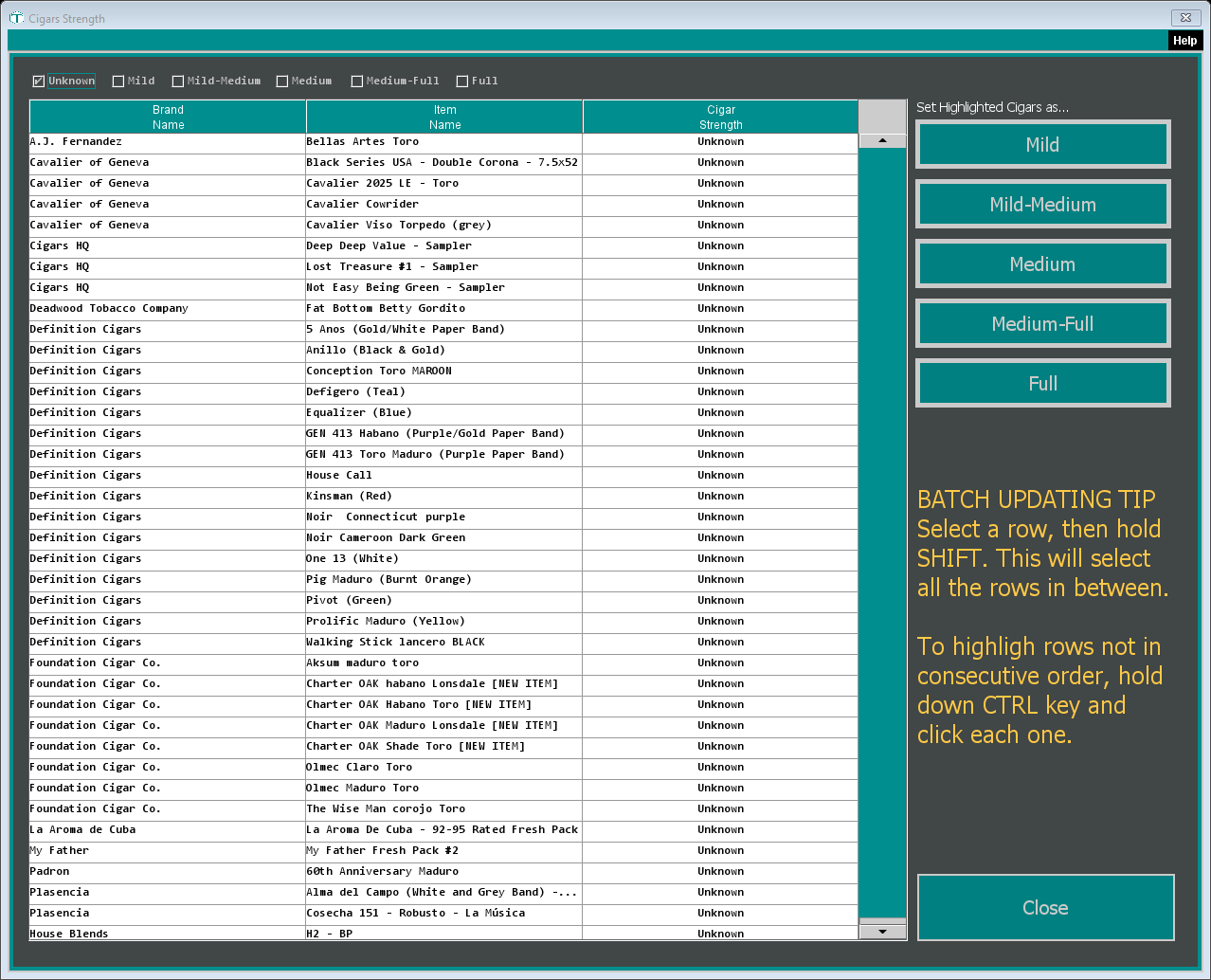
The Cigars Strength window lists your active cigars by brand and item name, with their current strength.
Choose what to list. The checkboxes across the top show cigars by their current strength. Unknown is ticked the first time you open it, so you see the cigars that still need one. Tick others to review cigars you've already set. TORO remembers which boxes you leave ticked. Cigars with no strength at all are always listed.
Highlight the cigars. Click a row. To pick a run of rows, click the first, hold Shift and click the last. To pick rows here and there, hold Ctrl and click each one.
Click the strength on the right, under Set Highlighted Cigars as...: Mild, Mild-Medium, Medium, Medium-Full or Full.
TORO asks "Are you sure you want to set" that many cigars to that strength. Say Yes.
The change is saved right away and the list refreshes. With only Unknown ticked, the cigars you just set drop off the list, so you can keep working down it.
There's no undo button. If you set the wrong strength, highlight those cigars and set the right one.
To look at a single cigar, double-click its row to open its Item Details.
After You've Updated
The Analytic Selling Assistant doesn't re-sort its grid on its own. If you came from there, TORO reminds you to click Refresh when you're ready; it takes a few minutes. Otherwise the recommendations are rebuilt when your main station closes the drawer for the day.