TORO Telephone
TL;DR
TORO Telephone gives your shop a real phone number that's smarter than a phone line. Calls follow you to your cell so you never miss one, every call is logged with who it was and whether you picked up, and the moment a customer's call slips through unanswered, TORO puts a red alert right on your home screen so someone can call them back. It even dials customers for you with one click — ringing the right person's phone first, then connecting the customer, so nobody's personal number is ever exposed. It's $54.99 a month, and for a cigar shop that lives and dies by relationships, a missed call is a missed customer. This module makes sure that stops happening.
A phone call is often the first thing a new customer ever does with your shop — and the easiest thing to miss when you're behind the counter helping someone, walking the humidor, or simply not standing next to the phone. TORO Telephone fixes the oldest problem in retail: the call that rang while everybody was busy.
It's a real, dedicated phone number for your store, run through TORO. You hand it out, put it on your website, print it on receipts — and then TORO does the clever part: it routes those calls to the people who should answer them, keeps a record of every one, and tells you when a customer needs a call back.
Opening TORO Telephone
- Open the Dashboard.
- Click the Modules & Integrations tab in the list down the left side.
- Click the TORO Telephone card.
(Or use the search tools... box at the top right and type telephone, phone, or voice.)
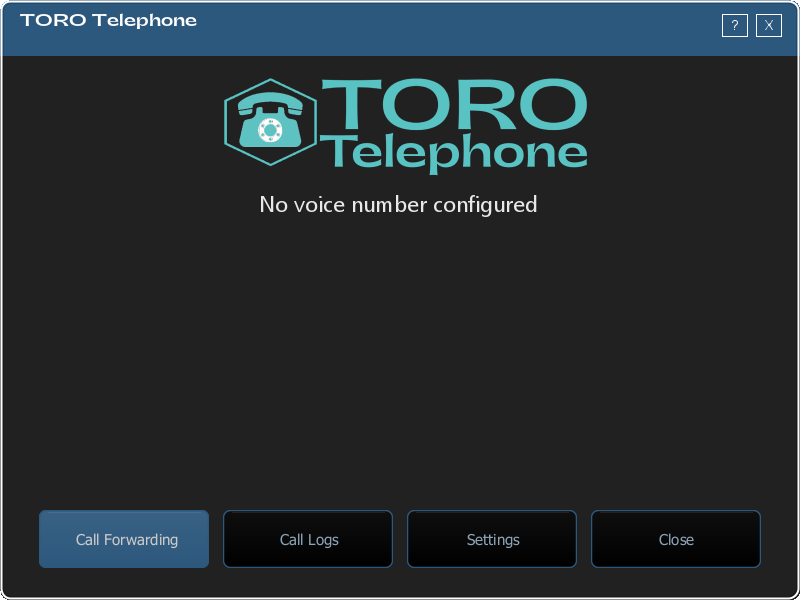
The TORO Telephone window opens with five buttons — Dial a Number, Call Forwarding, Call Logs, Settings and Close — plus your store's number in large teal type and a line showing who your calls are currently forwarding to. Everything in this article starts from there.
If the card has a closed padlock, the module isn't on your account yet. Clicking it opens our TORO Telephone page and a signup screen with a missed-call calculator, so you can see what those missed calls are costing before you decide.
What it costs
$54.99 a month, billed as a line item on your regular TORO invoice. That covers the number and everything below — call forwarding, the automated greeting, call logs, the callback alerts, and one-click calling. No per-minute meter to watch, no separate phone bill.
Calls that follow you — Call Forwarding
Here's the heart of it. When someone calls your store number, TORO doesn't just ring a phone sitting on a desk. It rings the cell phones of the people you choose — so a call comes through whether you're at the register, in the back, or grabbing lunch next door.
You set up a list of forwarding contacts — usually you and your staff. For each person you can control:
- Whether they ring at all right now, so you can add and remove people as your team changes.
- Only while clocked in — turn this on and that person only gets calls during their shift. Nobody's evening gets interrupted by a shop call after they've gone home.
- How long it rings before the call gives up and moves on — the timeout. Set it long enough that people have a chance to answer, short enough that callers aren't left hanging.
When a call comes in, your people's phones ring, and whoever grabs it first is connected. Your customer just hears the store; your staff's personal numbers never show up on anyone's caller ID.
What callers hear — the automated greeting
A good greeting makes a small shop sound buttoned-up. TORO Telephone can play automated voice messages to callers — a warm "Thanks for calling, please hold while we connect you" before the call rings through, and a message after if nobody's able to pick up right then.
You write the wording, TORO speaks it. It's the difference between a call that rings into silence and one that feels like the shop already has its arm around the customer.
When you don't want the phone ringing
Some moments you genuinely can't take calls — a private event, inventory night, or you're just closed. The module can reject calls and send them straight to a message instead of ringing anyone, so callers get a polite "we're not available right now" rather than an endless ring. Flip it back on when you're ready.
Every call, written down — Call Logs
Open Call Logs and you've got the full story of your phone, not just a list of numbers. For every call you can see:
- Who called and when.
- Whether it was answered or missed.
- Who on your team answered it — by name, not by phone number.
- How long the call lasted.
Up top, a row of report tiles turns that history into something you can actually act on: total time on the phone, connected calls, missed calls, average call length, your store's average transaction, and — the one that gets people's attention — Potential Lost Revenue, which multiplies your missed calls by your average ticket to put a dollar figure on the calls you didn't catch. The missed-call and lost-revenue tiles even break out a second number for callers who are known customers, because those are the ones who hurt most to miss.
Below that, a By Person breakdown shows how each team member is doing — calls answered, calls missed, time on the phone.
A few things that make it genuinely useful day to day:
- Filter by phone number — type a number, or click Find Account to pick a customer, and the list narrows to just them. The tiles and the per-person numbers follow the filter.
- Click a caller to see that customer's entire call history with you.
- Callers are matched to accounts automatically — if the number belongs to a customer in your system, TORO links it, so you see their name and their spend right there in the list.
- The full history is kept — call records are stored on your own system, so you can look back further than the phone provider's roughly 13-month window, and the screen loads fast because it only checks the provider for what's new.
The part that changes your day — the Telephone alert
Logs are great after the fact. But the real win is catching a missed call before that customer calls your competitor.
When TORO Telephone is on, you'll see a Telephone chip on your home screen, right next to the SMS one. It's green when you're caught up. The moment a customer's call goes unanswered and nobody's called them back, it turns red with a count. It's a quiet, constant answer to the question "did we miss anyone?"
Click it, and you'll be asked to sign in — TORO records who's handling the callback — and then it opens Customers Needing a Callback: every missed call from the last 48 hours that still needs attention. For each one you can:
- Call Back — TORO first asks who should take the call: you, anyone currently set up to receive the store's calls, or whoever's clocked in right now (with a "Someone Else..." option for the full staff list). Pick a person and TORO rings their phone, and once they answer, it connects the customer. Personal numbers stay hidden; the customer sees the store. No copying numbers into a cell, no exposing anyone's own line.
- Dismiss — for the robocall, the wrong number, the telemarketer. Clear it and the chip goes back toward green.
When the list is empty, the chip is green again. It's a callback to-do list that fills itself and clears as you work it.
And if you want to see more than just the missed ones, a View Logs button at the bottom of that same window opens a simple list of every call your store phone received — answered or missed, who called, who picked up, and how long the call was — with date filters that start on the last three days. Every row there has its own Call Back button with the same who-should-take-it prompt, plus a Called Back column so you can tell at a glance who's already been reached before you dial twice. (The full Call Logs screen inside TORO Telephone, with the talk-time and lost-revenue tiles, is still there when you want the deep numbers.)
One honesty feature worth knowing: if TORO's connection to your phone records ever stops updating, the callback screen won't pretend you're caught up. Instead you'll see an orange warning with the date the call log stopped updating and a note to call TORO Support. Nothing is lost when that happens — your full call history fills right back in once the connection is restored.
Calling a customer with one click
That same one-click calling shows up wherever it's handy. In Call Logs and on a customer's Account Details screen, there's a Call button. Click it, pick who should take the call, and TORO rings that person, then dials the customer and bridges them together — the store's number on the customer's screen, staff cell numbers on nobody's.
It's the friendliest way there is to do the thing that grows a cigar shop: pick up the phone and call the customer who was just asking about that box.
Calling a number that isn't a customer
One-click calling works from a record you already have. Dial a Number is for everything else — the wholesaler, the landlord, the guy who fixes the humidor.
Open it from the TORO Telephone window, or straight from the Telephone alert on your home screen. You get a keypad you can tap and a box you can type in; both do the same thing, so use whichever your hands are already on. Press Enter or hit Call when you're done.
From there it behaves exactly like calling a customer: TORO asks which phone should take the call, rings that phone first, and dials the number once it's answered. Your store's number is what shows up on the other end — never anyone's cell.
That last part is the reason to use this instead of your own phone. A supplier who gets a call from a personal mobile now has that mobile number, and calls it at 8pm on a Sunday. A supplier who gets a call from the shop calls the shop.
Who's allowed to do what
Seeing the missed-call list and actually calling customers are two separate permissions, on purpose. You might want every employee to see who's waiting on a callback, while only certain people are cleared to place the calls. In your access settings you can grant the Store Phone Callback permission to exactly the people who should have it. Someone without it can still open the list and see what's pending — they just can't place or dismiss a callback.
Getting set up
The technical side — the actual phone number, the connection to the phone provider, the account credentials — is handled through the Settings screen of TORO Telephone, and TORO Support sets that part up with you so you don't have to think about SIDs and tokens. Once your number's live, the day-to-day is all the friendly stuff above: add your forwarding contacts, write your greeting, and let the home-screen alert keep you honest about callbacks.
If a call ever forwards to your phone and you answer but the customer connection doesn't go through, that's almost always a setup detail on the phone-provider side — give TORO Support a shout and we'll sort it out fast.