TORO HQ
TL;DR
TORO HQ ties all of your stores together. It keeps one catalog and one price list for every store, and it lets your stores send stock to each other with Store Transfers.
One of your stores is the Warehouse. It sends its items and price changes to TORO HQ, and every store, the Warehouse included, gets its prices from there. The first store to sign up creates your TORO HQ and becomes the Warehouse. Your other stores join with a join code.
TORO HQ is $39.99 per month for each store, and each store gets its own bill. Creating your TORO HQ also costs $399.00 once. There's no free trial.
Where to find it: Dashboard → Modules & Integrations → TORO HQ.
What TORO HQ Does
- See every store's inventory in the TORO portal, all in one place.
- Update pricing in the portal and push it to all of your stores at once.
- Transfer stock between your stores. One store sends, the other receives, and TORO moves the quantity on hand at both stores.
Before You Start
- Use an Admin login. Signing up changes what the store pays, so only an Admin user can do it. Anyone can open TORO HQ and read about it.
- Be online. TORO HQ talks to TORO's servers on every step.
- Sign up at each store. Every store signs up from its own register. You can't add a store for it from another store.
- Start with the store whose items you want in your catalog. The store that creates your TORO HQ becomes the Warehouse, and its items start the shared catalog. You can move the Warehouse later (see Move the Warehouse).
Signing Up
1. Open TORO HQ. At a store that hasn't signed up yet, TORO shows what TORO HQ does and what it costs:
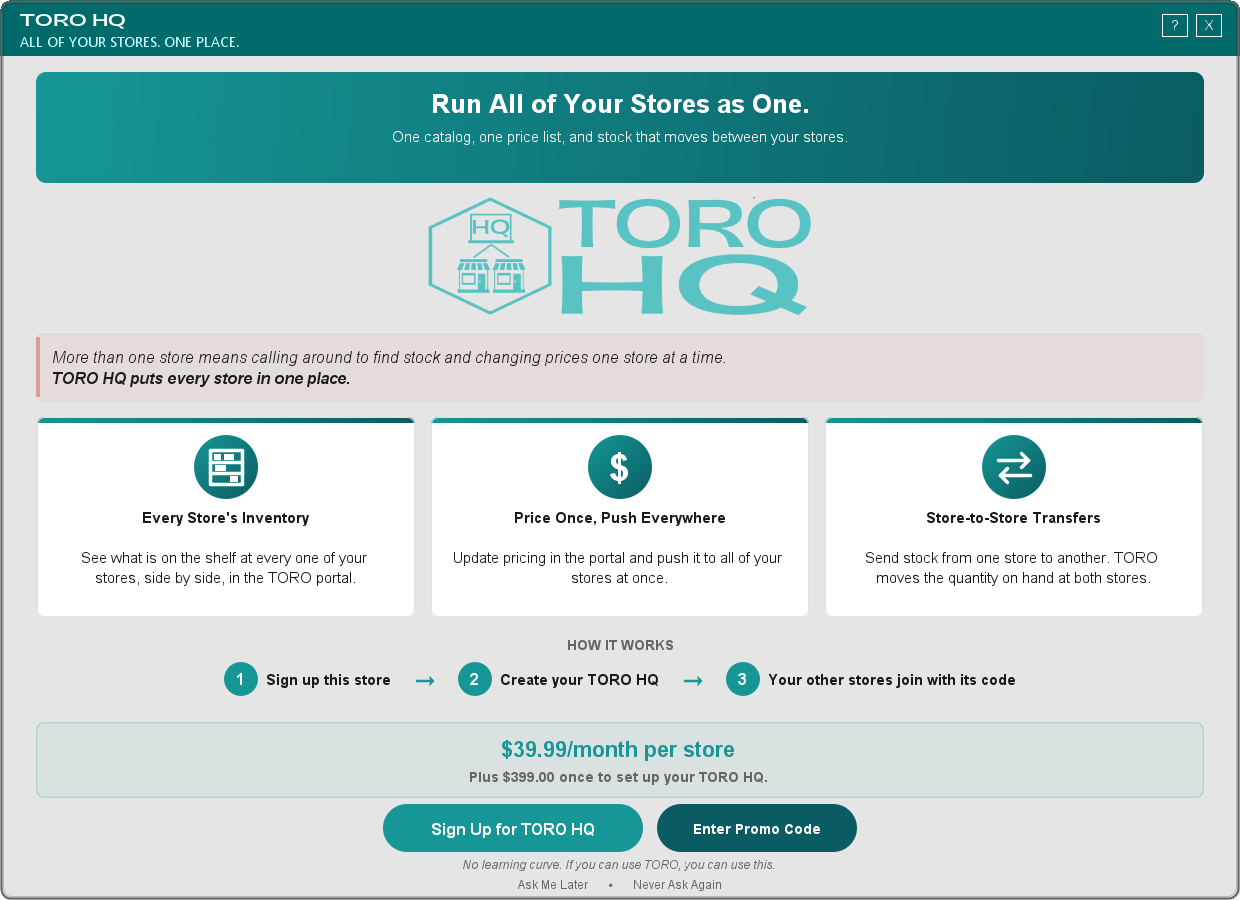
Press Sign Up for TORO HQ. This turns on TORO HQ for this store at $39.99 a month.
2. Create or join. TORO then asks what this store should do:
- Create a TORO HQ if this is the first of your stores on TORO HQ. This store becomes your Warehouse.
- Join with a Code if one of your stores already has a TORO HQ.
Creating Your TORO HQ
1. Name your TORO HQ. Type the name your stores will see, like Smith Cigars. Leave out the < and > characters, and keep it under 100 characters.
2. Confirm. TORO asks you to confirm the name and that this store becomes your Warehouse. Creating your TORO HQ sets up its license and connects your stores to it, and the $399.00 setup fee is charged right then and is non-refundable. The answer starts on No, so press Yes on purpose. If one of your other stores already has a TORO HQ, or should be the Warehouse, press No.
3. Sign the TORO HQ license agreement. Read it, then type I ACCEPT and your name exactly as it is on your TORO account. TORO keeps a record of who signed and when, and emails you a copy. If you press I DO NOT ACCEPT, nothing is created or charged. Only the store creating your TORO HQ signs it; stores that join don't.
4. Get your join code. Your TORO HQ is ready right away, and TORO shows your join code. The $399.00 goes on this store's bill at this point, once. You can see the code any time on the TORO HQ screen.
If TORO says this store's state or ZIP code is missing, nothing was created or charged. Call TORO Support (torocigarpos.com/supportcall) to fix the store's address, then try again.
Adding Your Other Stores
Do this at each of your other stores, on that store's own register:
1. Open TORO HQ, press Sign Up for TORO HQ, then choose Join with a Code.
2. Enter the join code. It's on the TORO HQ screen of any store already in your TORO HQ. Capital or small letters both work. If the code doesn't match, TORO says so.
3. TORO shows which TORO HQ the code belongs to and which store is its Warehouse. Make sure it's yours, then press Join.
Joining adds $39.99/month to the joining store's TORO account. TORO says so on the join-code screen before the store joins. Stores that join never pay the $399.00, and they don't sign the TORO HQ license agreement.
The TORO HQ Screen
Once a store is in your TORO HQ, the TORO HQ card opens this screen. At the Warehouse it looks like this:
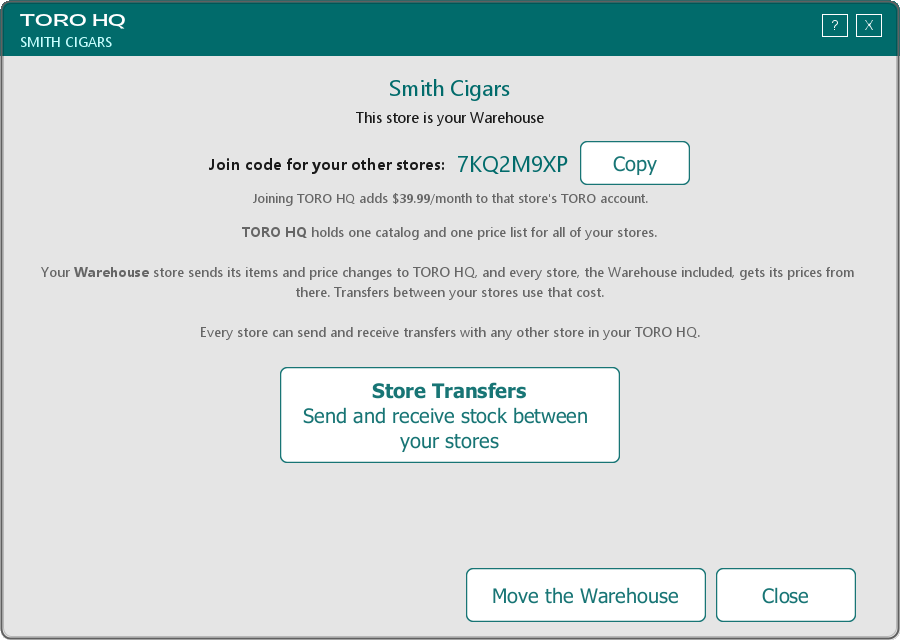
- Your TORO HQ's name is at the top, with whether this store is your Warehouse.
- The join code. Every store in your TORO HQ can see the join code on its TORO HQ screen, so any of them can give it to a new location. Press Copy to put it on the clipboard. Right under the code, TORO reminds you that joining adds $39.99/month to that store's TORO account.
- Store Transfers opens the screen where you send and receive stock between your stores.
- Move the Warehouse appears at the Warehouse only.
At your other stores, the screen shows which store is your Warehouse:
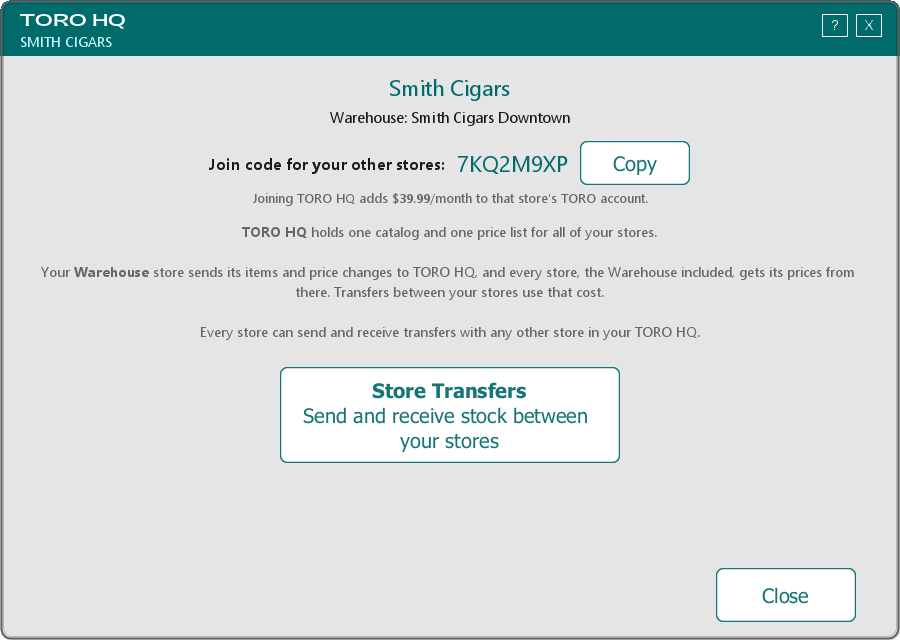
New multi-store tools will show up on this screen as we add them.
Move the Warehouse
The Warehouse is the store that sends new items and price changes to TORO HQ. To make a different store your Warehouse:
1. Open TORO HQ at the current Warehouse and press Move the Warehouse. You need an Admin login.
2. Pick one of your other active stores.
3. Confirm. The answer starts on No, so press Yes on purpose.
The new Warehouse is charged the $399.00 one-time TORO HQ setup fee, plus sales tax where it applies, on a new invoice. The store you moved it from becomes a regular store in your TORO HQ.
- If that store is already your Warehouse, nothing changes and nothing is charged.
- Only the current Warehouse can move it.
- If TORO can't bill the new store because its address is incomplete, nothing moves. Call TORO Support (torocigarpos.com/supportcall) to fix the address.
Sending Your Items to TORO HQ
The Warehouse keeps TORO HQ's catalog in step with what's set in TORO. To send its items:
1. At the Warehouse, open Store Transfers and go to HQ Catalog.
2. Under Push My Items to HQ Catalog, tick the product types you want to send, then press Push My Items.
3. TORO shows what happened: items added, items updated with your changes, and anything TORO HQ didn't accept, with the reason.
What a push does:
- New items are added to TORO HQ, already linked to your items.
- Items already in TORO HQ are updated with what's set in TORO now: name, brand, product type, cost, retail price, barcode and packaging.
- A blank field keeps what TORO HQ has. Leaving a barcode empty in TORO doesn't erase it from TORO HQ.
- Pack sizes never change. A box of 20 stays a box of 20.
- The Warehouse wins. If someone changed an item in the portal, the Warehouse's next push replaces that change with what's set in TORO.
Only the Warehouse can push. Your other stores get their prices from TORO HQ.
Store Transfers
Store Transfers is where your stores send stock to each other: one store sends it, the other receives it, and both stores' inventory stays right. Transfers use the cost in your TORO HQ catalog.
You can get to it from the Store Transfers button on the TORO HQ screen, or from its own card on the Dashboard. A store that hasn't joined a TORO HQ yet is taken to TORO HQ sign-up instead.
If Sign-Up Stops Part Way
Every step is safe to repeat. If something stops part way (a window was closed, the internet dropped, or someone pressed Cancel), open TORO HQ again and it picks up where it left off. You won't be charged twice.
If the store signed up but didn't create or join a TORO HQ yet, TORO asks again whether to create one or join with a code, without charging the monthly fee again.
Billing
- Every store pays $39.99 a month on its own bill, the Warehouse included.
- Creating your TORO HQ costs $399.00 once, on the bill of the store that creates it.
- Moving the Warehouse costs $399.00 once, on the new Warehouse's bill.
- There's no free trial. Billing starts when each store signs up.
To stop TORO HQ at a store, or with any question about your bill, call TORO Support (torocigarpos.com/supportcall).
A Few Things Worth Knowing
- Lost the code? It's on the TORO HQ screen at any store in your TORO HQ.
- Need a new code, to remove a store, or to move a store to a different TORO HQ? Call TORO Support (torocigarpos.com/supportcall) and we'll take care of it.
- One TORO HQ per store. A store can only be in one TORO HQ at a time.