ID Scanner Diagnostics
If your ID scanner beeps when you scan a driver's license but TORO doesn't pick up the birthday, or a scan seems to do nothing at all, ID Scanner Diagnostics shows exactly what the scanner sent to TORO and why TORO did or didn't read a birthday from it. It's mostly for TORO Support: you scan, it writes a report, and you send the report to us.
Scanning here doesn't touch any customer account or sale. It only inspects the scan.
Finding It
Open the Dashboard
Click the Store tab on the left, then click the ID Scanner Diagnostics card. (Can't find it? Type "id scanner" in the search box at the top right.)
Only admins see this card, because the reports it saves hold everything printed in the license's barcode.
Open it on the register the ID scanner is plugged into.
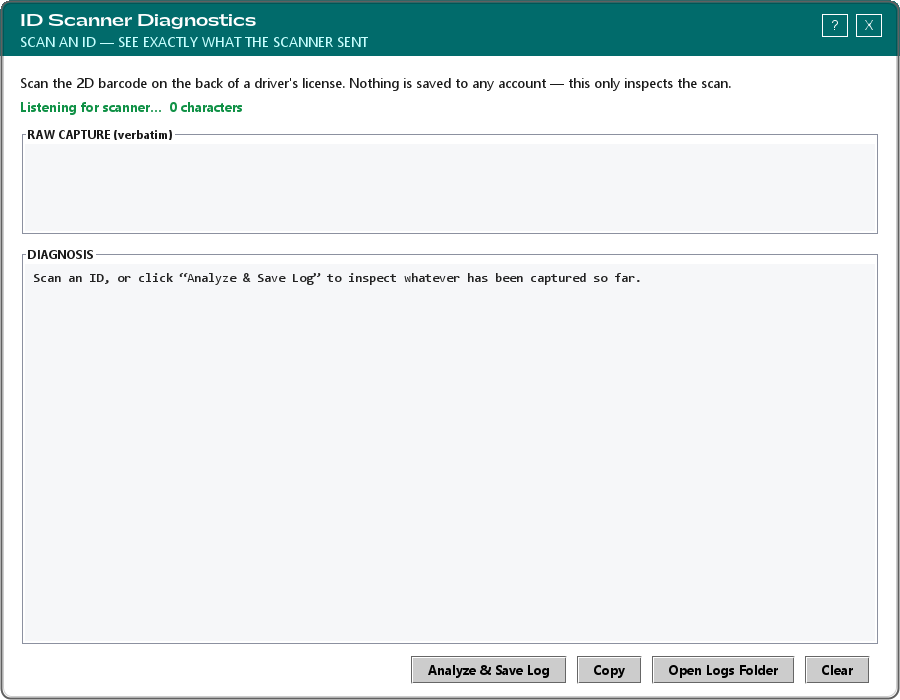
Running a Test
With the window open, scan the 2D barcode on the back of a driver's license, just as you would at the register. Use your own license, or a staff member's who's happy to have it used.
The status line counts the characters as they arrive, and RAW CAPTURE shows exactly what the scanner sent.
When the scan is complete, TORO analyzes it on its own, shows the report under DIAGNOSIS and saves it as a log file. If nothing happens after the scan, click Analyze & Save Log to analyze whatever was received.
Scroll to FINAL RESULT at the bottom of the report. If TORO could read the license, it shows the Birthday, Age and Outcome (PASS — customer is allowed or FAIL — customer is under age). If it couldn't, the Outcome line says why. Further up, the report explains what kind of scanner it looks like and whether its scans would ever finish.
Sending It to TORO Support
- Copy copies the report to the clipboard, ready to paste into a message to TORO Support.
- Open Logs Folder opens the folder where the saved reports are kept, so you can attach the file instead.
- Clear empties the window so you can scan again.
Each saved report contains what the barcode holds, including the name, address and birthday on the license, so only share it with TORO Support and delete old ones from the logs folder when you're done.