Counting Your Supplies (Consumable Inventory)
Not everything on your shelves is for sale. Cups, napkins, cleaning supplies, butane, the bar's mixers: you use them up, and you only notice they're gone when you reach for the last one. Consumable Inventory gives those supplies a scheduled count. You make a list, say how much of each thing you like to keep on hand, and pick how often it should be counted. On the day it's due, TORO reminds whoever opens the store, and when the count is done it sends you a ready-made shopping list.
These lists are completely separate from the products you sell. Counting them never changes any item's quantity on hand.
Finding It
Open the Dashboard
Click the Inventory tab on the left, then click the Consumable Inventory card. (Can't find it? Type "consumable" in the search box at the top right.)
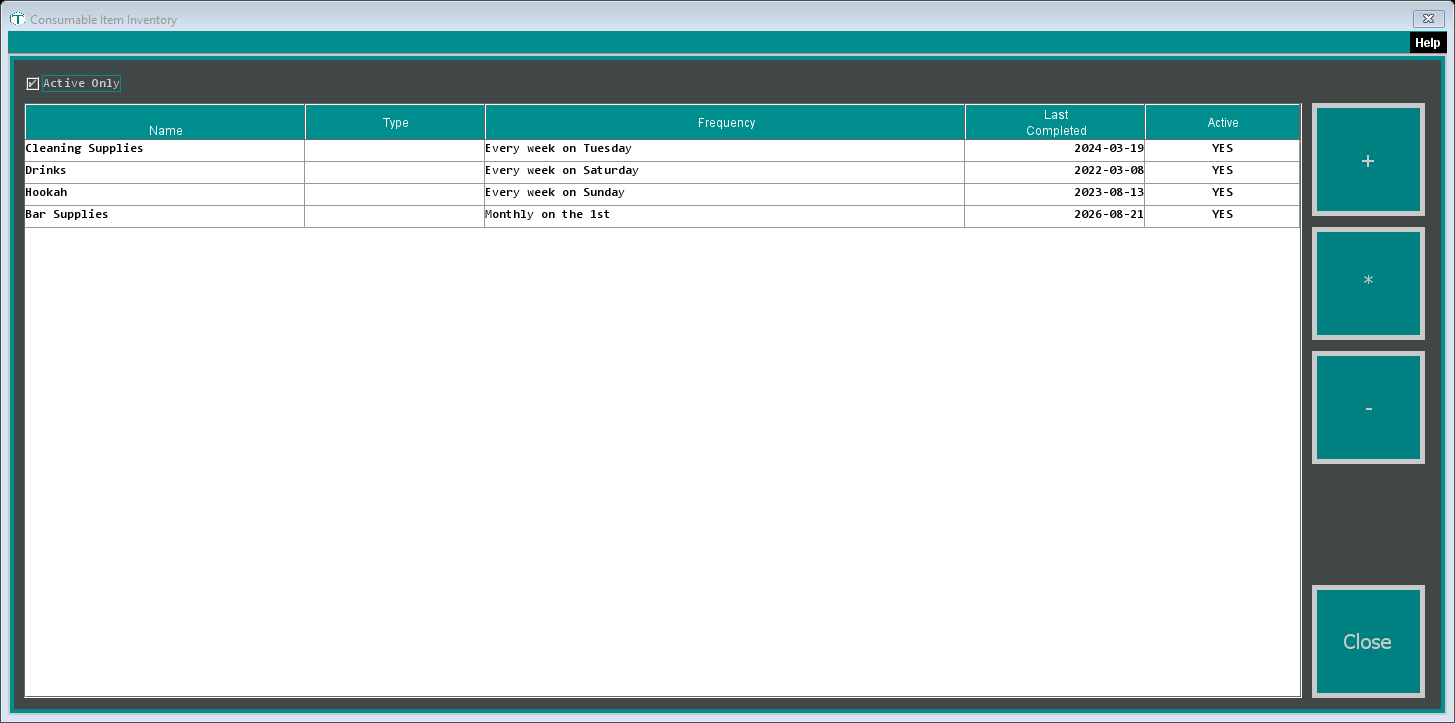
The Consumable Item Inventory window lists your supply lists, with how often each is counted (Frequency) and when it was last done (Last Completed). Active Only is ticked to start; untick it to see lists you've turned off.
- + makes a new list.
- * opens the highlighted list to change it.
- - deletes the highlighted list after you confirm.
Making a List
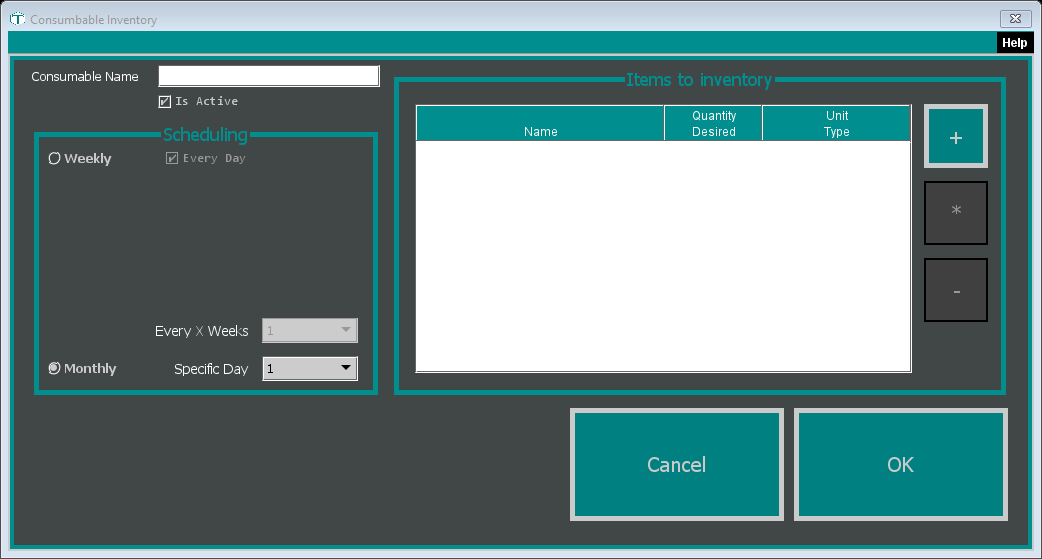
Click +.
Type a Consumable Name, such as "Bar Supplies" or "Cleaning Supplies". Leave Is Active ticked.
Under Scheduling, choose how often it's counted:
- Monthly with a Specific Day (1 to 31). New lists start on monthly, on the 1st.
- Weekly, then either leave Every Day ticked or untick it and pick the days. Unticking Every Day shows the seven days, all ticked, so untick the ones you don't want. Every X Weeks sets how many weeks apart the counts are (1 means every week).
Under Items to inventory, click + for each supply. In the Item window, enter:
- Item: the supply's name
- Quantity: how many you like to have on hand (decimals are fine, like 1.5)
- Unit Type: what you count it in, like "boxes", "cases" or "bottles"
Use * to change a supply (or double-click it) and - to take one off the list.
Click OK.
To stop counting a list without losing it, open it and untick Is Active.
When a List Comes Due
- A monthly list is due on its day of the month, unless it's already been counted that month. If more than 31 days pass without a count, it shows as due every day until someone does it.
- A weekly list is due on the days you picked. Every X Weeks above 1 spaces the counts out for a list set to a single day: pick Monday with 2, and it's due every other Monday. A list set to several days, or to Every Day, can come due again on another of its days in the same week it was counted.
When someone opens the cash drawer for the day on your main register, TORO checks for lists due today and asks "There are 2 inventory list(s) that need to be completed today. Would you like to do them now?" (with your own count). Saying yes opens the lists that are due.
You can also count any time from the main screen: click Employee in the sidebar on the left, then Do Consumable Inventory.
Doing the Count
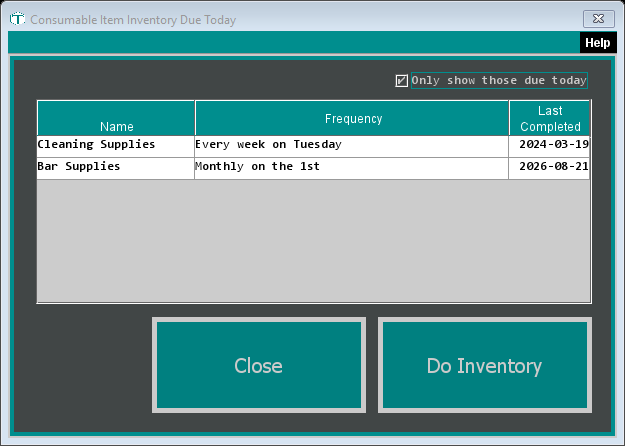
The Consumable Item Inventory Due Today window shows the lists that are due. Untick Only show those due today to see every active list, if you want to count one early.
Click a list, then click Do Inventory.
The count window shows the list's name, its schedule, and when it was last counted. Each supply has its Quantity Desired and Unit Type. Type what you actually have in the Actual column.
Want to count on paper first? Print Inventory Sheet prints the list on your receipt printer with a blank next to each supply.
Click Save. Every supply needs a number first, or TORO says "You must do inventory for ALL items."
TORO marks the list as done for today, then:
- sends a CONSUMABLE INVENTORY message to the people in your store set up to get consumable inventory messages, with an ORDER section (each supply that's below what you want, and how many to buy) and an ALL GOOD section for the rest;
- sends a second, shorter message titled with your store name and "Order", listing only what to buy, so it's ready to pass along to whoever does the shopping;
- emails the same details to your admin users, with the subject "Consumable Inventory -" and the list's name.
The amount to buy is what you want on hand minus what you counted, rounded to a whole number.